Online Cricket ID Login: How to Access Your Cricket ID with Your ID and Password
If you are here, one of three things is true. You have just received a new cricket ID and want to log in for the first time, you have an ID that suddenly stopped working, or you are trying to work out how the login system works before you get an account. This page covers all three, step by step, without the usual fluff.
Do not have an ID yet? Request an Online Cricket ID here. New to all of this? Start with our main Online Cricket ID guide.
Where Your Login ID and Password Come From
Unlike a shopping site, Indian cricket betting platforms rarely let you choose your own username. Accounts are created by a master-account holder, which is what a provider like us is. When your first deposit is confirmed, we create a sub-account on the platform you chose and send you three things privately: the login URL, your username, and a temporary password.
That is why searching for “cricket id login id and password” on Google never gives you a working account. Credentials are issued, not found. Anyone offering free ID and password pairs publicly is either baiting you or does not control those accounts.
First Login: The Five-Minute Checklist
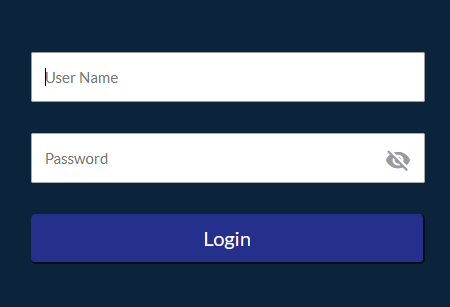
- Open the exact URL we sent you. Many platforms have several mirror domains, and some fake sites imitate popular platforms. Use the link from your private conversation, and bookmark it.
- Enter the username exactly. Usernames are often case-sensitive and may include digits that look similar (0 and O, 1 and l). Copy and paste if you can.
- Change the temporary password immediately. Most platforms force this on first login. Choose something you do not use anywhere else.
- Check your balance. Your deposit should show in full. If the balance is wrong, do not place a bet; tell us first so the ledger is corrected cleanly.
- Set your rules. Many platforms let you set a stake limit or exposure limit in the account settings. Doing it now, while you are calm, is far easier than doing it after a bad session.
Login Steps on the Platforms We Support
The mechanics are almost identical across platforms, but the interface and the common pitfalls differ. Each guide below includes the login path, what to do if the site asks for an OTP, and known issues.
99exch login
Browser-based, works on mobile without an app. The login box is on the home page; after your first login the site prompts for a password change. Read our 99exch guide and our note on withdrawing winnings after logging in to 99exchange.
Lotus365 login
Login is at the top right on desktop and behind the menu icon on mobile. Session markets load on a separate tab; if odds appear frozen, refresh rather than re-logging. See the Lotus365 guide.
Laser247 login
Uses a simple username and password with no OTP. The most common login failure is a password change that did not save because the page was closed too early. Our Laser247 beginner’s guide covers the full flow.
World777 login
Several lookalike domains exist, so use only the URL we send. Details are in our World777 login guide.
11xplay login
Standard login, with an optional PIN for quick access on mobile. Our 11xplay review explains the account layout.
Playexch and Playexch247 login
Two related platforms with separate logins; an ID for one does not work on the other. See the Playexch guide and the Playexch247 guide.
Login Not Working? Fix It in This Order
Ninety percent of login failures come down to one of these. Work through them in order before contacting anyone.
- Wrong URL. Compare the address bar with the link we sent. A single changed letter means a different (possibly fake) site.
- Caps lock or auto-correct. Phone keyboards love to capitalise the first letter of a username and add a space at the end. Type the password in a notes app, check it, then paste.
- Password change that did not save. If you changed the password and the new one fails, try the old one once. If the old one works, repeat the change and wait for the confirmation message.
- Too many failed attempts. Some platforms lock the account for 15 to 30 minutes after repeated failures. Wait, then try once, carefully.
- Platform maintenance. Exchanges go down for short windows, often late at night. If the login page itself will not load, it is not your account.
- Blocked or suspended account. If the site says the account is blocked, this usually comes from the master account, not the platform. Contact the provider who issued your ID; if that is us, tell us the username and the exact message on screen.
For a longer list of problems and fixes, including deposit-not-showing and withdrawal-pending cases, read our expert guide to common Online Cricket ID issues.
Keeping Your Cricket ID Secure
- Never share your password, not even with someone claiming to be from the platform. Platforms do not ask for passwords.
- Log out on shared devices. Betting accounts rarely have two-factor authentication, so a saved session is a full key to your balance.
- Use a unique password. If your email password leaks, you do not want it to open your betting wallet too.
- Be wary of “login help” pages that ask for your credentials. We will never ask you to type your password into any site other than the platform itself.
- Keep your balance lean. Withdraw winnings regularly instead of leaving a large float on the platform.
Login FAQ
I forgot my cricket ID password. How do I reset it?
Contact the provider who issued the ID. The platform does not reset passwords for sub-accounts directly. We can reset yours and send a new temporary password privately; change it as soon as you log in.
Can I use my ID on more than one phone?
Usually yes, but most platforms allow only one active session at a time. Logging in on a second device logs out the first.
Why does the site show a different balance from what I deposited?
Either the deposit is still pending, a bet is still open and the stake is held as exposure, or there is a ledger error. Check for open bets first; if there are none, contact us with the deposit reference.
Is there an app I should download?
No. Every platform we support runs in a mobile browser. APKs offered on Telegram or third-party sites are a common source of malware and fake login screens.
What is a “bookie id login”?
Just another name for logging in to a bookmaker-style account. The steps on this page apply.
I never got my ID after paying. What now?
If you paid us, contact us with the payment reference and we will resolve it. If you paid someone else, you may have been scammed; read the red-flag list on our home page and avoid sending more money to “unlock” anything.
Still stuck? WhatsApp us at +1 951 354 7781. Our contact page lists and what details to include so we can fix it in one message. 18+ only. Please gamble responsibly.